INDUSTRY:
Personal Project
CLIENT:
Personal project
YEAR:
2025
EXPERIENCE:
Marketing Automation

Streamlining Job Searching Using Automation
About
For this personal project, I'm looking to learn AI agent and marketing automation tool, such as Zapier or Make. I brainstorm a few use cases from my personal experience to test this tool and decided that my job search process can be further streamlined as an active job seeker in the Canadian market.
Problem statement: How can I streamline my job searching process and have a centralized job board instead of goin through all different job sites?
Challenge and Solution
The primary challenge is going through different job sites and doing a keyword search can be time consuming. Before using the automation tool, this is the manual workflow I had:
Sign into LinkedIn, Glassdoor, Indeed -> Keyword search -> Browse through the results and pick out job posting -> Paste job descriptions into a Google spreadsheet
To make my job search a little more streamlined, I want to automate the workflow above so I can dedicate more time to working on resume and cover letter.
I used Make to build an automated workflow that mimics the user flow I described above. There are certain limitations in this workflow. Because LinkedIn, Glassdoor, and Indeed all have a no-scrapping policy, so a way-around is pulling jobs from RSS feeds that compiles LinkedIn, Indeed, and Glassdoor job postings
Keywords I looked for in the RSS feed is "marketing coordinator," "marketing associates," "performance marketing", "social media", "digital marketing."
Result
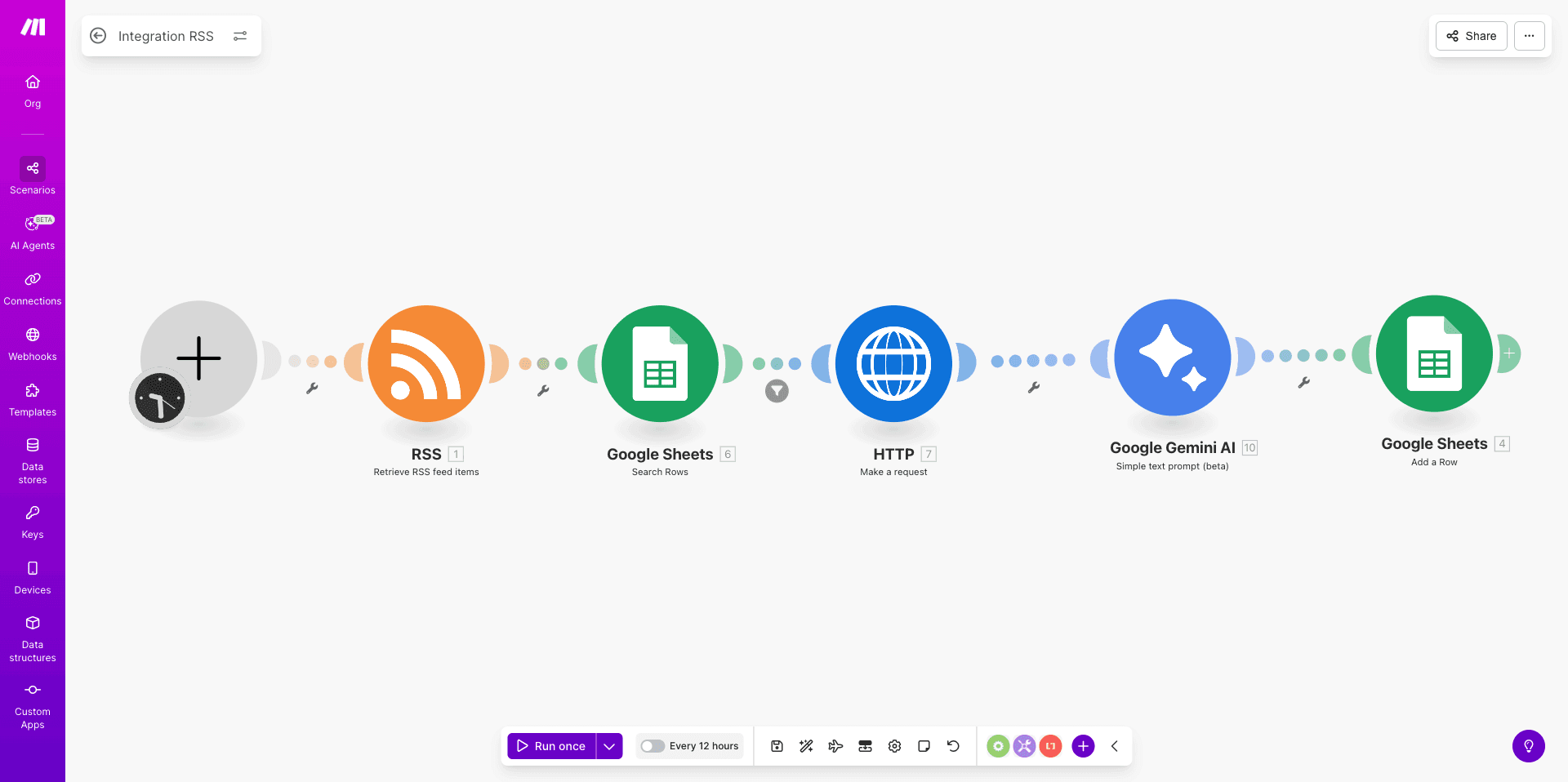
With the automated workflow from Make, it currently looks like as followed:
Timer sets for every 5 hours to run the workflow
RSS feeds pull job listings
Search the Google Spreadsheet first using filter function to make sure that the "new job listing" from the RSS feeds didn't already exist in the Spreadsheet.
Extract HTML data from the RSS feeds
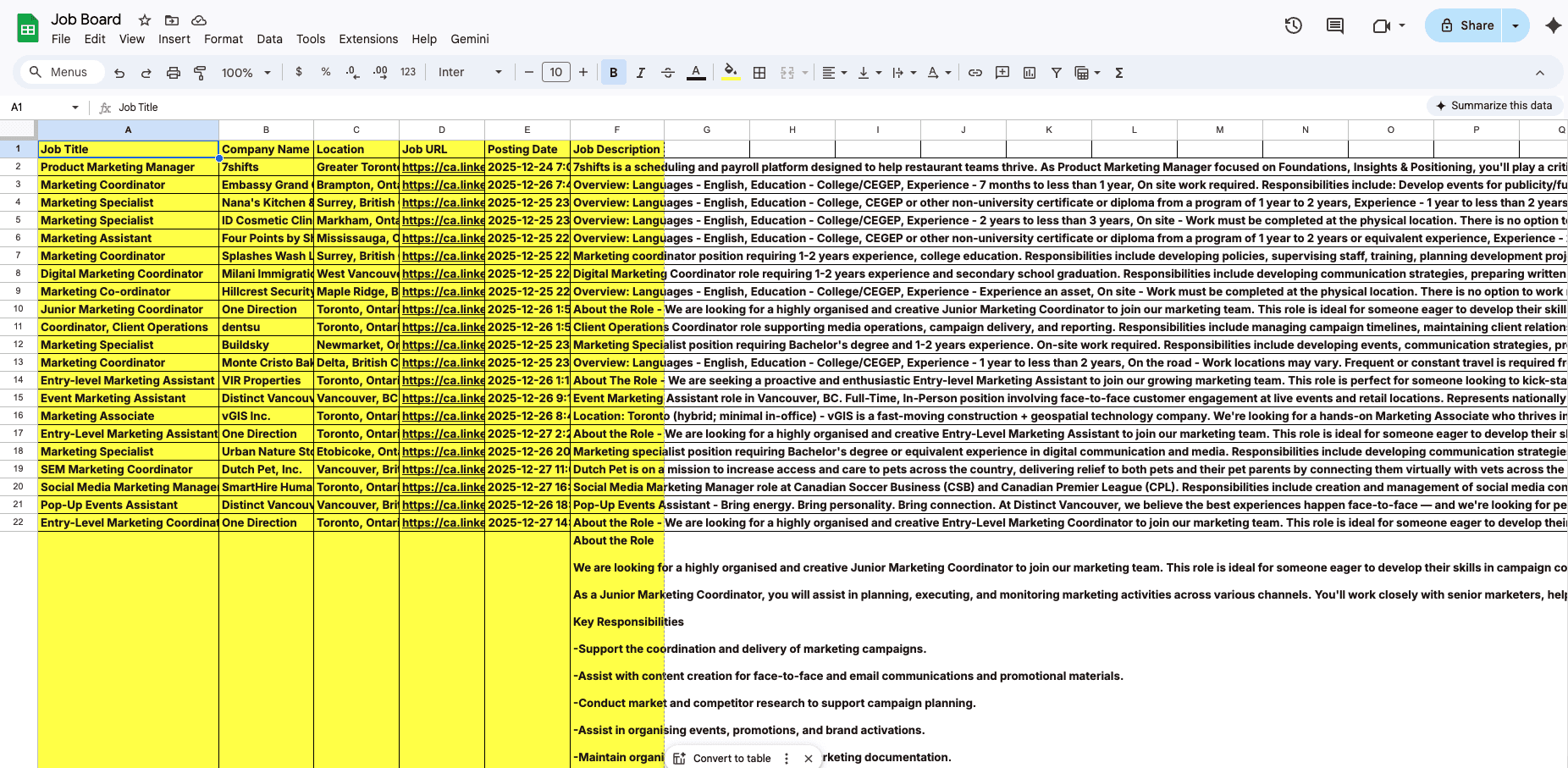
Gemini to summarize the job description
Create a new row in the Spreadsheet and saved.